
Arts Marketing Myths: GA4 Tracking, ChatGPT Ads, and Diversifying Creative
 AUTHOR:
Capacity
AUTHOR:
Capacity
For many organizations, Google Analytics 4 (GA4) is primarily used as a reporting tool. We check dashboards for traffic numbers, engagement rates, and conversion metrics. Those KPIs are important—but they only tell part of the story.
The real value of GA4 isn’t just measuring how your website performs and how people get there. It’s understanding how people actually use it.
That means asking questions like:
In our recent webinar, Building Better Websites with GA4 Data, the Capacity team explored how behavioral analytics can answer these questions and help organizations make smarter website decisions. Instead of focusing on surface-level metrics, we looked at how intentional tracking reveals the story of what users actually do once they arrive on your site.
Most teams are already using GA4 for the basics:
Weekly and monthly dashboards are great for keeping a pulse on website performance. The goal is to make data easy to access so teams can quickly understand trends and outcomes.
Another key piece is UTM tracking, which helps measure inbound marketing performance. Adding UTM parameters to links in emails, social posts, referral placements, or campaigns allows you to clearly see which channels are driving traffic and conversions.
But once you have this baseline reporting in place, the next step is shifting your mindset.
The most powerful website insights happen when you stop asking: “How is the website performing?”
This shift turns analytics into a design tool rather than just a reporting system.
When we analyze user behavior, we can identify friction points, uncover hidden opportunities, and make data-backed decisions about website improvements.
This mindset relies on four key ingredients:
With the right tracking and approach, GA4 can answer a surprising number of UX questions.
Navigation is one of the most critical parts of any website—but many organizations don’t actually measure how people use it.
For example, on mobile sites, it’s easy to assume visitors rely heavily on the navigation menu. But tracking often tells a different story.
By adding a simple GA4 event tag when a mobile navigation menu expands, teams can measure:
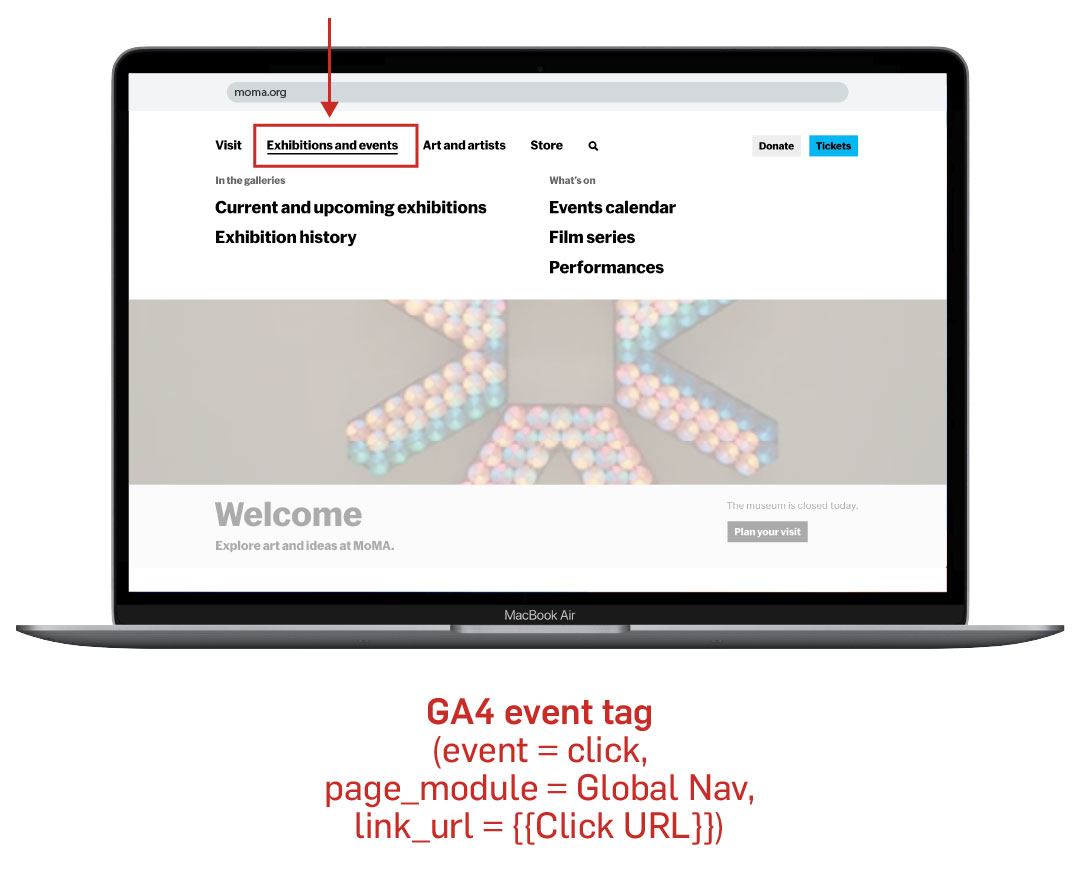
Tracking navigation interactions helps answer key design questions:
Instead of relying on assumptions, behavioral data gives designers a clear direction for improvement.
Modern websites often include interactive elements like:
These modules are designed to enrich the user experience—but how do we know if people are actually using them?
One helpful technique is visibility tracking.
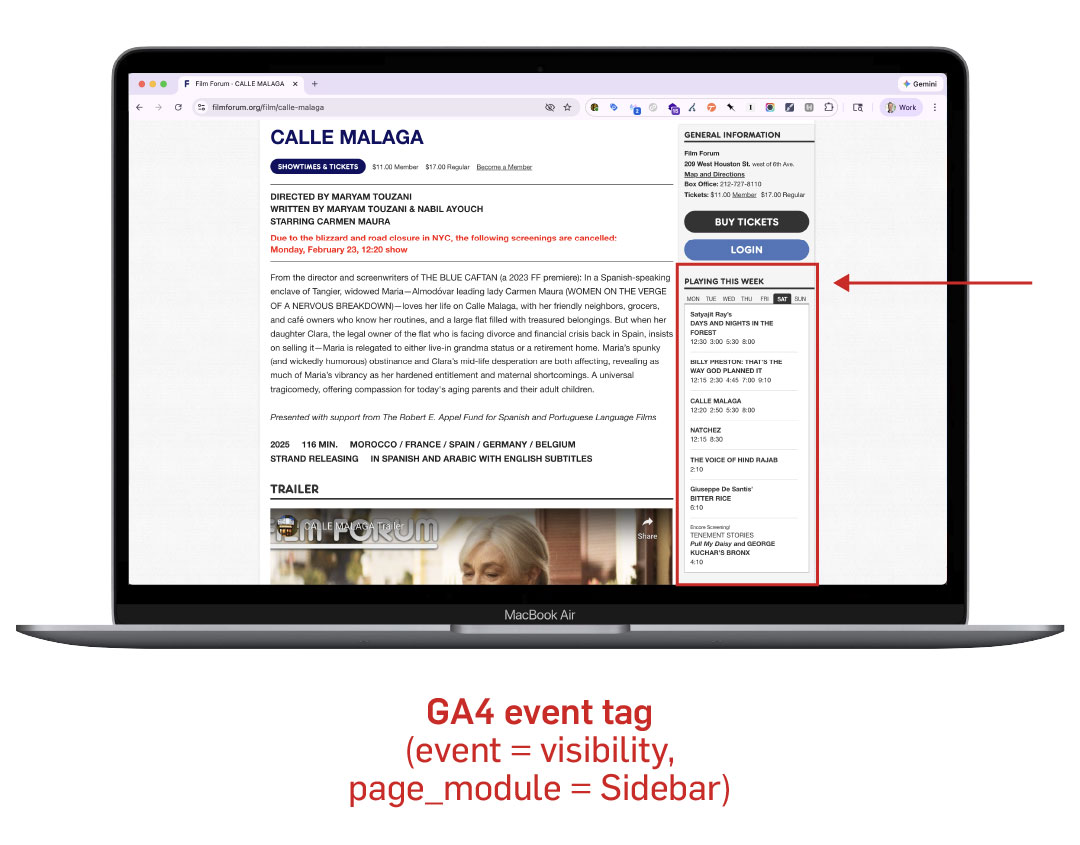

By firing an event only when a module becomes visible on the page, we can measure:
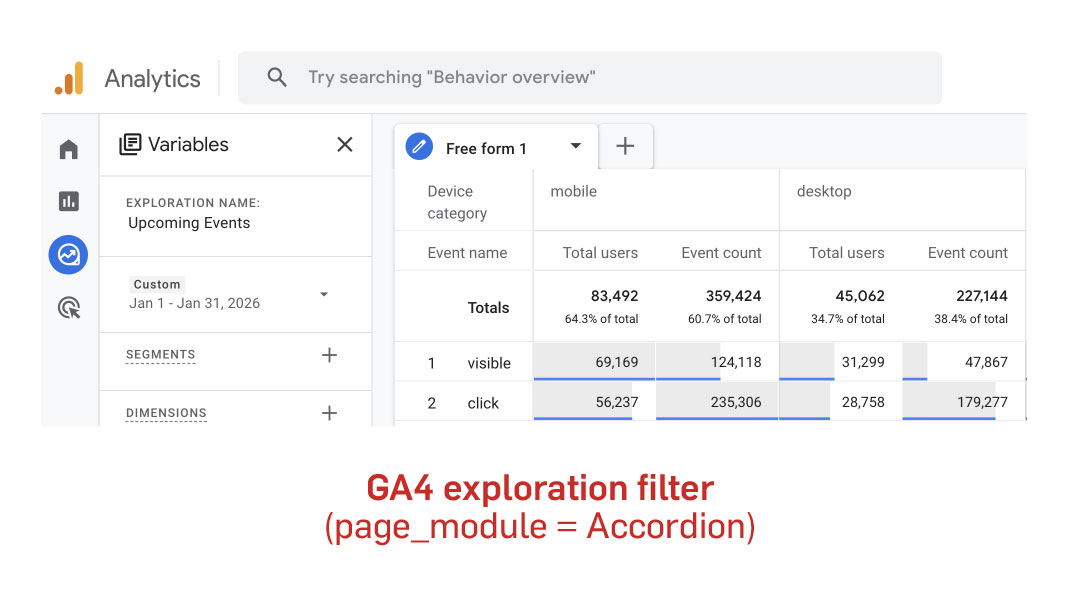
From there, we can take the analysis further and evaluate whether interacting with the module correlates with conversions.
This type of analysis helps answer questions like:
Another fundamental question for any website is simple:
Where are users actually spending their time?
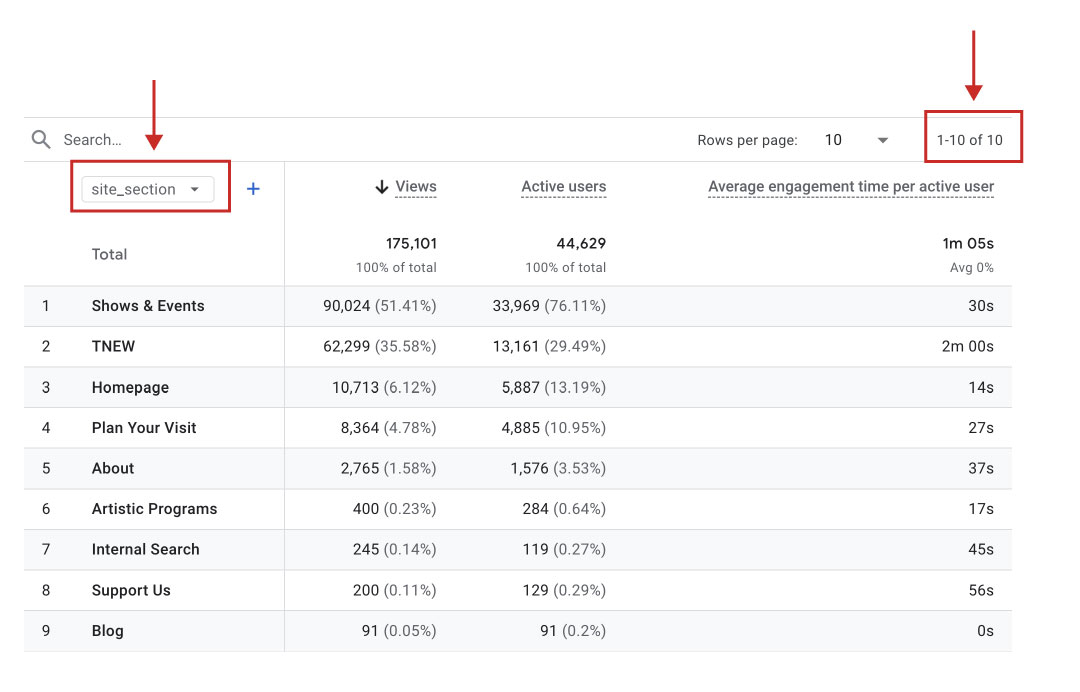
While the standard GA4 pages report shows individual page performance, it can be difficult to see the bigger picture when a site contains hundreds or thousands of URLs.
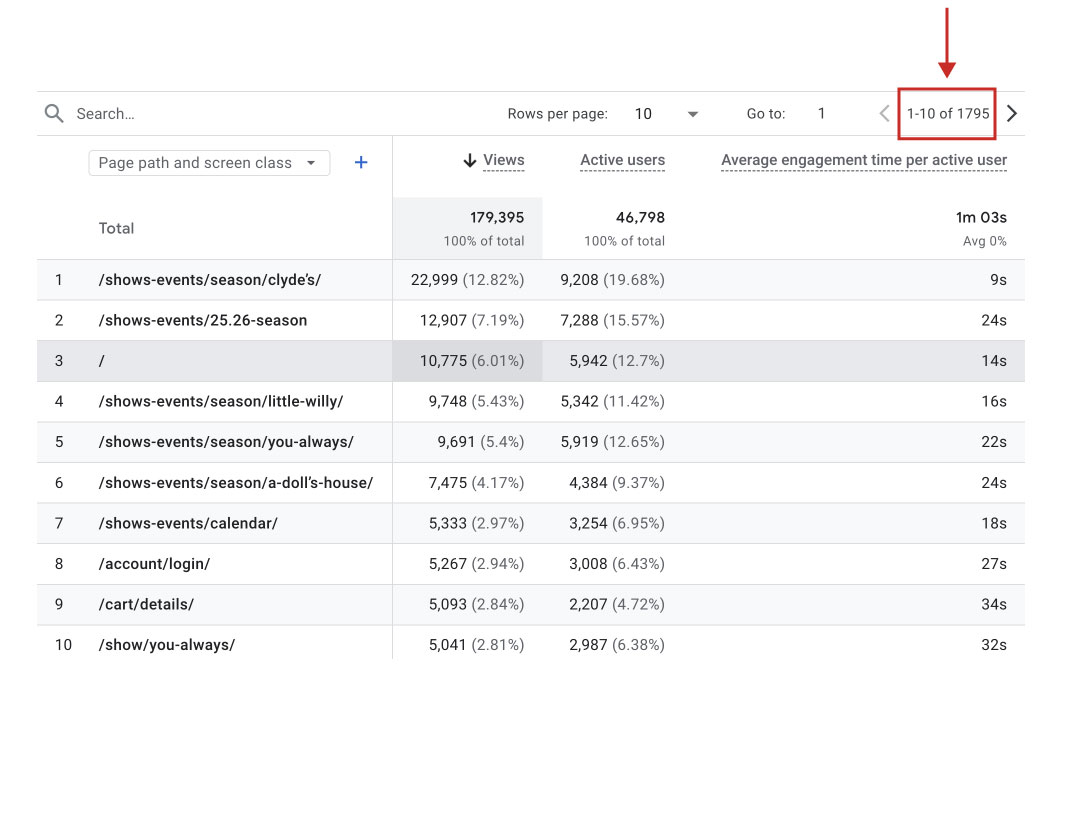 One solution is content grouping.
By tagging pages with attributes like site section, you can analyze performance across larger categories, such as:
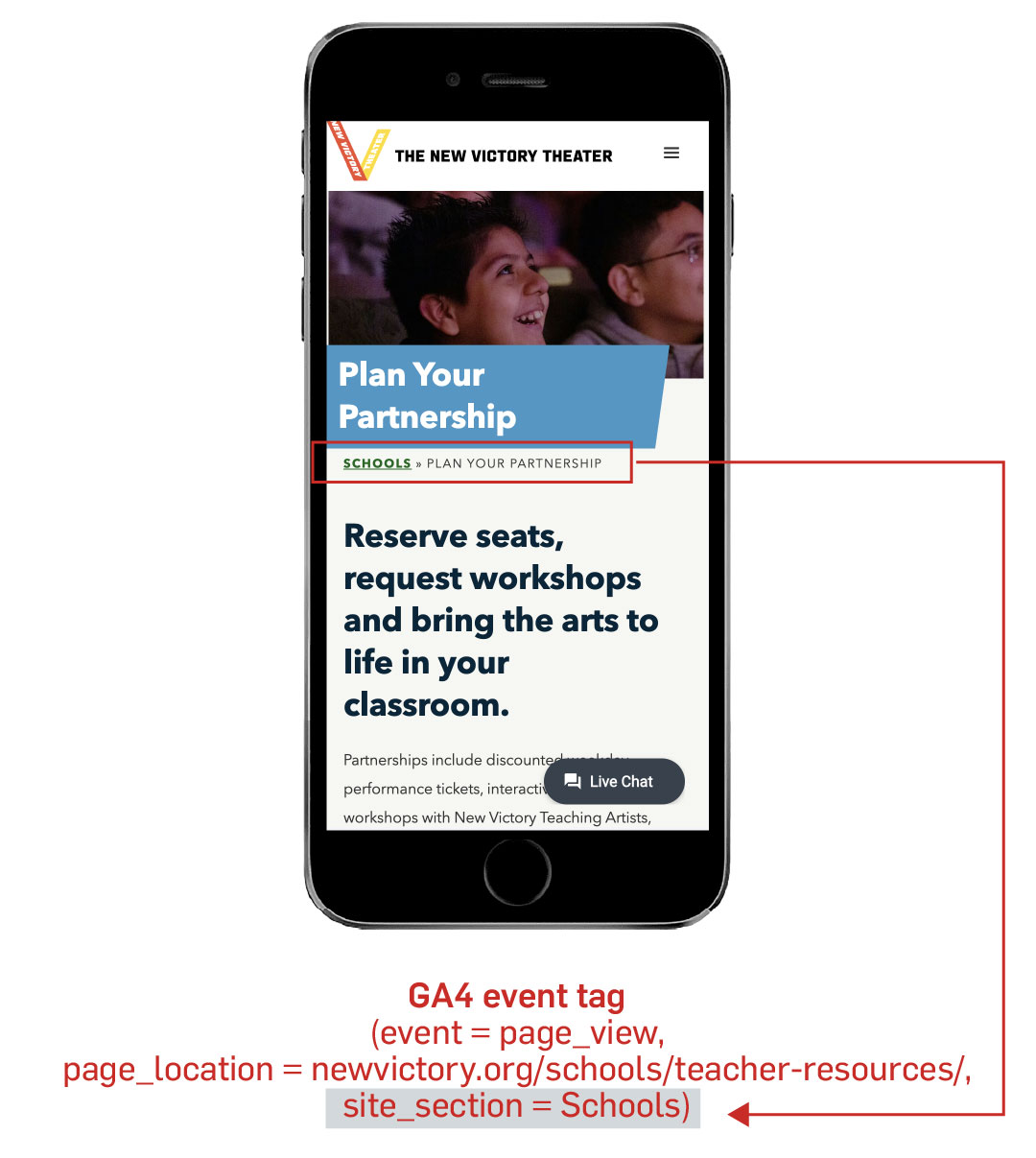
Grouping pages this way helps organizations identify:
Sometimes the real insight isn’t tied to a single page—but to a type of page.
For example:
By tagging pages with a page type attribute, GA4 makes it easy to evaluate how entire templates perform.
This allows teams to quickly answer questions like:
This kind of analysis can inform both content strategy and site redesign decisions.

The most important lesson from this approach is simple:
Better questions require better data.
When organizations implement thoughtful tracking (whether for navigation interactions, module engagement, or page behavior) they unlock insights that go far beyond surface-level metrics.
The goal isn’t to track everything. It’s to build systems that make it easy to understand how users experience your site and identify opportunities for improvement.
Small optimizations informed by data can add up quickly—and sometimes they reveal opportunities for larger redesigns.
At Capacity, our Website Analytics team helps organizations implement the right tracking, build clear reporting systems, and uncover the insights that drive meaningful website improvements. If you’re looking to get more value from your data—or want help translating analytics into action—we’d love to help.







![Managing User Consent On Your Website [Updated 2025]](https://capacityinteractive.com/wp-content/uploads/2026/04/2026-Blog-Header-Brand-Redesign-JB-copy-36-scaled-848x478.jpg)