Arts Marketing Myths: GA4 Tracking, ChatGPT Ads, and Diversifying Creative

This byte-sized series from CI’s Analytics Team offers quick tips to level up your website one optimization at a time (as it should be done!). Designed for busy arts marketers at every skill level, you can refine your site with quick analyses that get clear results leadership will love.
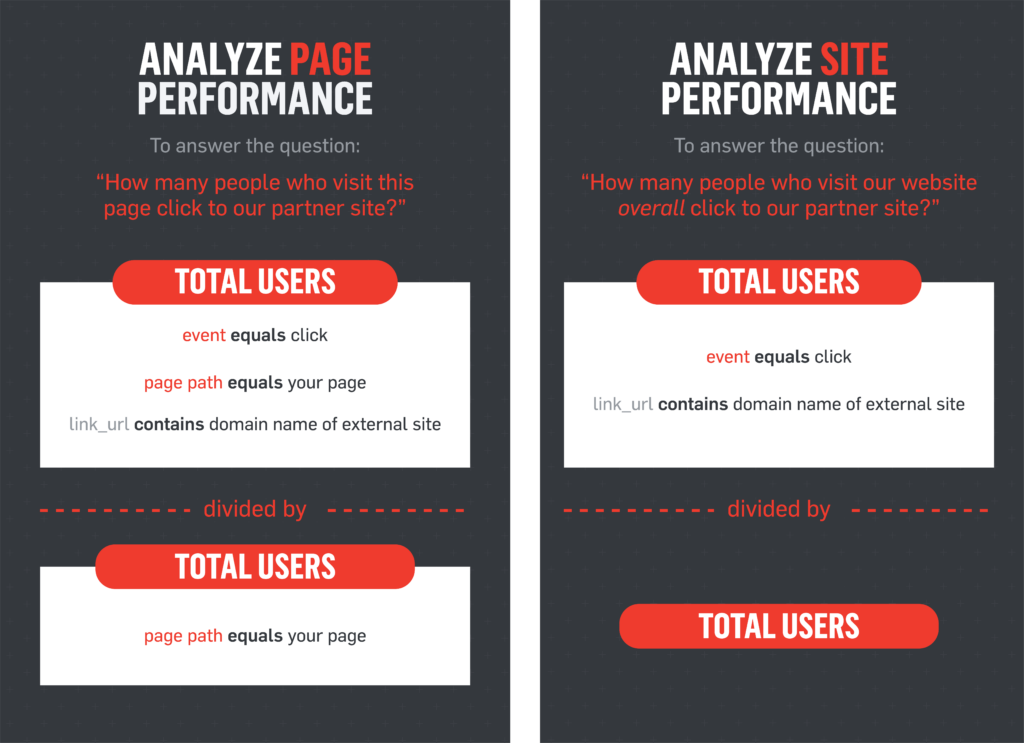
Today, let’s learn how best to answer the question…
Level: Beginner
GA4 Setup: Basic
The tips in this post can be achieved with the GA4 tools available to all—no customization required.
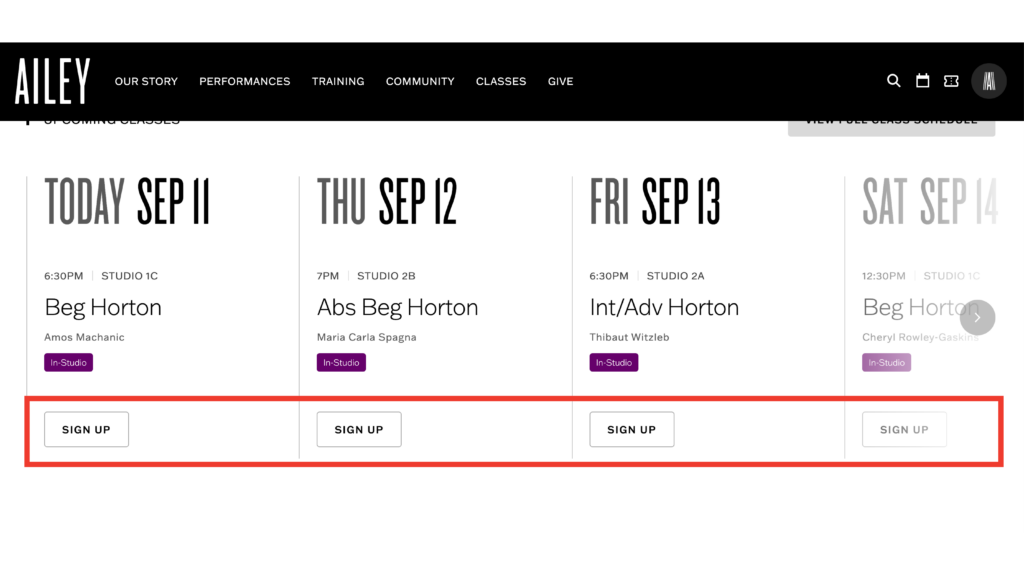
If you have links that drive your users to external partners—such as for class registrations, presenter information, etc—you can track that as Outbound Clicks via Enhanced Measurement in the admin settings. (Learn more in this tutorial from Google.)
Here’s an example of external links on Ailey’s site:
 Why we love this analysis
For organizations that link to external sites, this quick report can give you the data you need to measure your success and make site changes (e.g. copy, layout) to increase clicks. In some cases, you might also share this data with your partners to demonstrate your impact.
If you want to take your website glow-up even further, explore analytics resources below or dive into CI’s analytics services and contact us for custom solutions. We love talking nerdy!
Opt-In to Optimizing